Surfer SEO Review 2026: Is It Worth $79/Month? (Honest Verdict)
An honest Surfer SEO review covering 2026 pricing ($79–$219/mo, plus the $29/mo SERP Analyzer add-on), Content Editor, NLP optimization, real user reviews, and where it falls short. Includes plan comparison and who should (and shouldn't) buy.

Surfer SEO is a strong content optimization tool: its Content Editor and NLP analysis genuinely help writers create search-optimized content. Plans start at $79/month (annual) for 30 articles.
- Missing: deep technical site auditing and full-site crawling.
- Extra cost: SERP Analyzer is $29/month more on lower plans.
If you need content optimization, Surfer delivers. If you need comprehensive site audits with 200+ checks, plus your Search Console and Ahrefs data joined into one ranked plan, CrawlRaven is $49 at launch for a lifetime license.
Surfer SEO is excellent for content optimization, but it does not cover deep technical site auditing. For the technical side (crawlability, Core Web Vitals, broken links, and schema validation) tools like CrawlRaven fill the gap. Try CrawlRaven free: 1 site, no credit card →
Surfer SEO is one of the best content optimization tools in 2026. The Content Editor scores your writing against top-ranking pages using NLP.
- Pricing: from $79/month (annual) for 30 articles. The SERP Analyzer costs an extra $29/month on Essential.
- Strengths: real-time content scoring, Google Docs integration, keyword clustering.
- Weaknesses: no site crawling, no technical auditing, AI-generated content needs heavy editing, and keyword data less accurate than Ahrefs or Semrush.
| Category | Rating | Key Detail |
|---|---|---|
| Content Editor & NLP Scoring | ★★★★★ | Real-time 0–100 score. Best-in-class content optimization. |
| SERP Analyzer | ★★★★☆ | Detailed competitive SERP data. $29/mo add-on on Essential. |
| Keyword Research | ★★★☆☆ | SERP-based clustering is strong. Volume/difficulty data less accurate than Ahrefs. |
| AI Content Generation | ★★★☆☆ | Structurally sound drafts. Prose is generic, needs 40–60% rewriting. |
| Technical Site Auditing | ☆☆☆☆☆ | Not available. No site crawling, no broken links, no CWV checks. |
| Pricing Value | ★★★☆☆ | $79–$219/mo. Credit caps limit agencies. SERP Analyzer costs extra on Essential. |
Surfer SEO Review Verdict: 4.2 / 5
Surfer SEO is one of the best content optimization platforms in 2026: the Content Editor gives real-time, data-driven scoring that measurably improves on-page SEO. But it is not a site auditing tool. It cannot crawl your site, check technical errors, or generate audit reports. If you also need auditing, you need a second tool.
Content writers, bloggers, and SEO teams focused on on-page optimization and NLP-driven content scoring
You need technical site auditing, crawl analysis, backlink data, or white-label audit reports
Surfer SEO Capability Scorecard
“The data-driven approach, coupled with real-time recommendations, has taken my SEO game to the next level.”
★★★★★Capterra
“Surfer is a comprehensive SEO tool for half or one third of the price of competition. The Content Editor is genuinely the best in the market.”
★★★★★Capterra
“At nearly five times the cost of comparable tools, Surfer AI simply doesn't deliver enough unique value to justify the premium.”
★★★★★Capterra
“I consistently found myself double-checking the statistics and references provided by the AI, only to discover they were either inaccurate or completely fabricated.”
★★★★★Capterra
“I've been locked out of my account for nearly a month, with no responses to my emails or social media messages. Given the cost, their customer support is lacking.”
★★★★★Trustpilot
Surfer SEO key features: what the platform does in 2026
Surfer SEO started as a simple SERP comparison tool. Now it is a full content optimization suite. It covers seven core features, from keyword research to writing, optimization, and content maintenance. Here is what each feature does and where it falls short.
1. Surfer SEO Content Editor and Content Score
The Content Editor is Surfer SEO's main feature, and most teams buy Surfer for this. When you create a document, Surfer analyzes the top 10–20 ranking pages for your keyword and pulls over 500 on-page signals from them:
- Word count, heading depth, and paragraph density.
- Image count.
- NLP terms and keyword placement.
From that it gives you a live Content Score from 0 to 100, updating as you write. A sidebar shows which NLP terms you covered, which are missing, and how your structure compares to page-one results.
You can write inside Surfer's web app, but most teams use the Google Docs add-on or WordPress plugin instead. Both show the Content Score and NLP terms inside your writing tool, with no copy-pasting. The Google Docs version is especially good: it updates the score in near real-time and highlights missing terms inline.
Two constraints to know:
- One keyword per document. Targeting a keyword cluster means a separate document, and a separate article credit, for each keyword.
- Credits are the ceiling. Essential gives 30 articles per month and everything counts, whether you write from scratch, paste content, or use Surfer AI. Scale bumps this to 100.
For agencies that cap is the biggest pain point. Run out mid-month and you either upgrade or wait for the next billing cycle.
2. Surfer SEO SERP Analyzer
The SERP Analyzer breaks down every page ranking on page one for a keyword. For each result you see:
- Word count, paragraph count, and keyword density.
- Heading count by level (H1/H2/H3/H4).
- Image count.
- Page speed.
- Referring domains and Domain Authority.
The data shows in tables and charts, so you can compare how top-ranking content is structured across all these metrics at once.
Use the SERP Analyzer before you write: it shows what Google rewards for a specific query. If the top five results for "best project management software" all have 3,000+ words, 15+ headings, and 8+ images, that is the bar your content needs to clear.
It also shows which on-page factors correlate with higher rankings. Not causal proof, but a data-backed starting point for content briefs.
Important: the SERP Analyzer is a $29/month add-on on the Essential plan. You only get it included on Scale and above. So a fully-featured Essential plan actually costs $108/month (annual). Without annual billing, that jumps to $128/month.
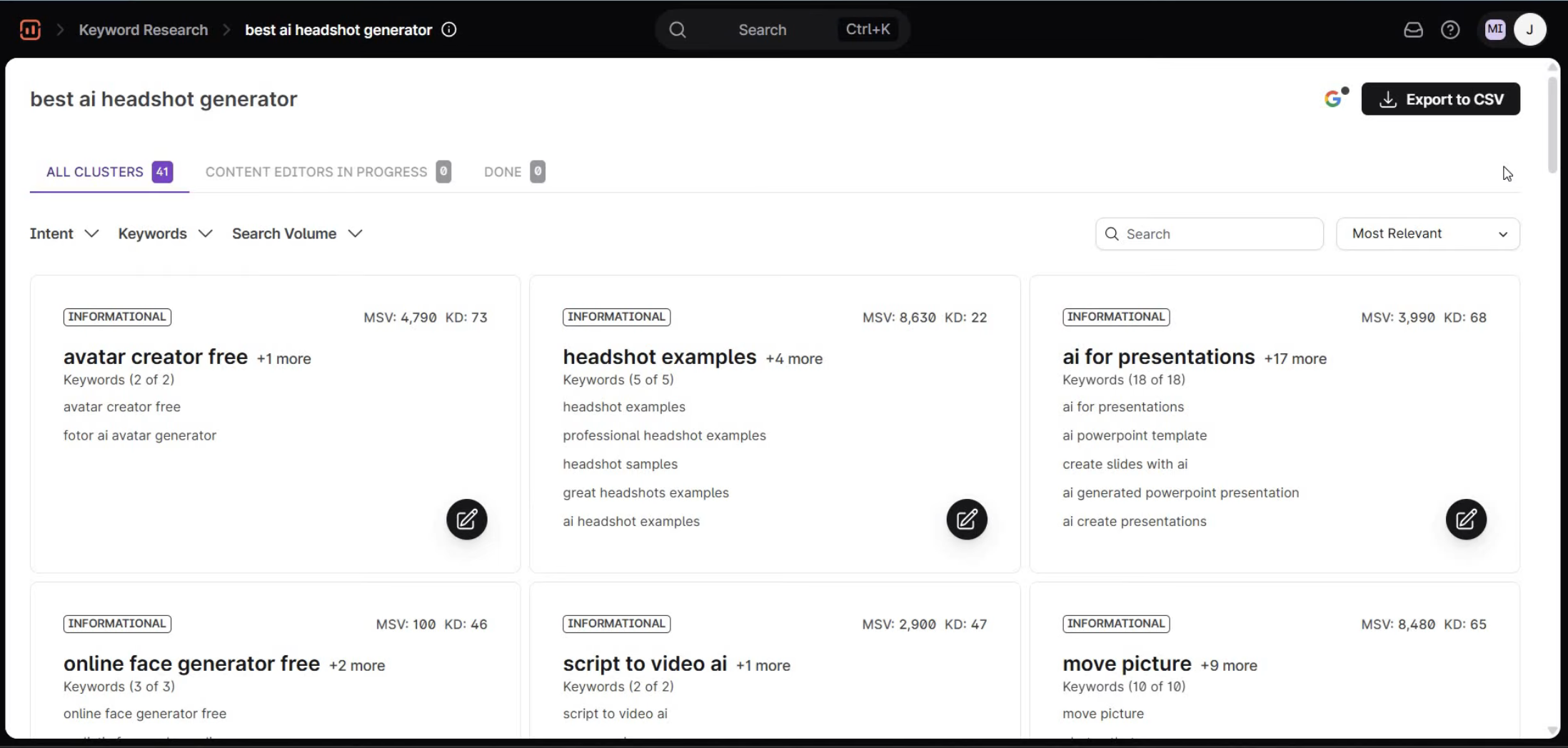
3. Surfer SEO keyword research and clustering
Surfer's keyword research tool takes a seed keyword and returns related terms with search volume, difficulty scores, and SERP similarity.
- Automatic clustering. Keywords are grouped by SERP overlap: share three or more of the same top-10 results and they land in one cluster, on the logic that Google treats them as the same intent.
- Why it helps planning. Instead of three articles for "best CRM software," "top CRM tools," and "CRM software comparison," clustering may show all three share seven of the same top-10 URLs, so one article covers all three.
That prevents cannibalization and saves writing time.
But reviewers on Capterra and G2 say Surfer's search volume and difficulty scores are less accurate than Ahrefs or Semrush. The clustering is strong. The raw keyword data is not.
4. Surfer SEO Content Audit tool
Surfer's Audit tool analyzes a single published URL against top-ranking pages for a keyword, comparing word count, headings, keyword density, NLP terms, images, and meta tags against what ranks now. The output is concrete: add 400 words, include 6 missing NLP terms, add 2 H2 headings, add 3 images, move your primary keyword earlier in the title.
This is not a technical site audit. It only looks at content, and does not check:
- Broken links, crawl errors, or redirect chains.
- Canonical tags.
- Core Web Vitals.
- Structured data.
Many people searching "Surfer SEO audit" expect a full site audit, and that is not what this is. The Essential plan includes 100 audit credits per month, one per audit.
The catch on the recommendations is that they are correlation-based: they show what top-ranking pages look like now, not what will make your page rank higher. For teams updating a content library, they still cut a lot of guesswork.
5. Surfer AI writing integration
Surfer AI produces full-length article drafts pre-optimized against the Content Editor's NLP guidelines. You provide a target keyword, tone, and competitors to analyze, and it generates a complete article, typically 2,000–3,500 words, with headings, subheadings, paragraphs, and sometimes FAQ sections.
- Structurally sound. The articles usually score 70+ in the Content Editor immediately after generation.
- But generic. A competent summary without original analysis, proprietary data, or expert perspective.
Most teams treat it as a first draft needing 30 to 60 minutes of human editing for depth, accuracy, and brand voice. The AI cannot reach your proprietary data or interview sources.
The pricing maths is the real constraint. Each Surfer AI article consumes 5 Content Editor credits:
- Essential, 30 credits/month. A maximum of 6 AI articles, which exhausts the entire allocation and leaves nothing for manual Content Editor work.
- Scale, 100 credits/month. 20 AI articles with credits left over for manual optimization.
That makes Surfer AI impractical on Essential for any team that also writes by hand.
6. Surfer SEO Grow Flow: automated task recommendations
Grow Flow is Surfer's automated task recommendation engine. Connect Google Search Console and it turns your organic performance data into a weekly feed of prioritized tasks, in four categories:
- Content optimization for underperforming existing pages.
- New keyword opportunities where you have impressions but low click-through.
- Internal linking recommendations.
- Content creation suggestions for topic gaps in your niche.
Each task explains why it was recommended and estimates the impact. You can accept, dismiss, or snooze it, and the system adjusts future recommendations from your decisions.
- A typical task reads: "Your page /blog/email-marketing-guide ranks #14 for 'email marketing best practices' (320 monthly searches). Optimizing this page could increase organic traffic by an estimated 80–120 visits/month."
It is most valuable for solo practitioners and small teams without a structured optimization workflow, replacing the manual loop of reading Search Console, spotting quick wins, and prioritizing updates.
The limitation is that Grow Flow only recommends content-level actions. Surfer does not crawl your site, so it cannot surface technical issues, broken links, or crawl problems. If performance is declining from technical debt rather than content gaps, it will not find the root cause.
7. Surfer SEO internal linking suggestions
Surfer's internal linking feature scans your published content and identifies opportunities to add internal links between related pages. The tool analyzes the topical relevance between your pages and suggests specific anchor text and target URLs for each linking opportunity. For example, it might recommend linking the phrase "content optimization workflow" on your /blog/seo-strategy page to your /blog/content-optimization-guide page.
Internal linking is one of the most consistently underutilized on-page tactics, so automating the discovery saves real manual effort. The feature matches topical clusters across your content, linking pages that cover related subjects and reinforcing topical authority signals.
Suggestions land in a dashboard where you review, approve, and implement them manually or through the WordPress integration. Two practical limits:
- Only analyzed pages count. Pages you have not run through the Content Editor or Audit tool never appear as linking candidates.
- No whole-site view. It does not read your existing internal link structure the way a dedicated crawler like CrawlRaven or Screaming Frog does, so it may suggest links to already well-linked pages while missing the orphans that need them.
For comprehensive internal link auditing, a full-site crawl tool remains necessary.
What Surfer SEO does well: content optimization that measurably improves rankings
Surfer SEO excels at on-page content optimization, analyzing top-ranking pages for any keyword and returning specific recommendations for content length, keyword density, NLP terms, heading structure, and image count. According to G2 reviews (4.8/5 from 530+ reviews), users consistently praise the Content Editor as the standout feature.
Beyond raw scoring, what makes it effective is the feedback loop: writers watch their score move in real time as they add NLP terms, restructure headings, or expand sections. That drives measurably better on-page SEO without asking writers to understand the underlying algorithms.
Surfer SEO Content Editor: real-time optimization scoring
Surfer SEO's Content Editor is the core feature and the primary reason teams adopt the platform. It provides a live "Content Score" (0–100) that updates as you write, based on the top-ranking pages for your target keyword, and highlights which NLP terms you included, which are missing, and how your structure compares to page one.
It runs either as a Google Docs-style interface of its own or through browser extensions, which is what makes it practical for teams who do not want to switch writing environments:
- Google Docs. Writers stay in their familiar environment and get optimization guidance in a non-intrusive sidebar.
- WordPress. Post-publication optimization, re-analyzing and updating content inside the CMS with no export and re-import.
Surfer SEO NLP keyword optimization
Surfer uses natural language processing to find semantically related terms that top-ranking pages include. This goes beyond keyword density: it identifies topic coverage gaps that affect how search engines read your content's relevance, and Auto-Optimize suggests where to insert terms without changing your core message.
The granularity is what makes it useful. Rather than "include more related terms," you get:
- Exactly which terms are missing.
- How many times top-ranking pages use each one on average.
- Where in your content the gaps sit.
For long-form content, that detail is the difference between a generic optimization pass and a targeted upgrade.
Surfer SEO Google Docs and WordPress integration
These integrations deserve separate mention because they change the adoption curve. Most content optimization tools make writers work inside a proprietary editor, which creates friction and kills compliance.
- The Google Docs Chrome extension overlays the Content Score, NLP term checklist, and structural recommendations into the document sidebar, so writers never leave their primary workspace.
- The WordPress plugin embeds the Content Editor into the post editor, making optimization part of the publishing workflow rather than a separate step.
For teams managing dozens of writers, these native integrations are often the deciding factor over Clearscope or Frase, whose integration ecosystems are less mature.
Surfer SEO SERP Analyzer: competitive intelligence
The SERP Analyzer breaks down page-one results for any keyword: word count, keyword usage, heading structure, page speed, and backlink counts. It is useful for content planning, showing what Google currently rewards for a specific query.
Note that SERP Analyzer is a $29/month add-on on the Essential plan, included only on Scale and above.
Despite the extra cost it delivers intelligence that is hard to replicate by hand. Rather than reading ten competitor pages and tallying their structure, you get a standardized comparison in seconds, which saves content strategists hours of research per keyword.
Surfer SEO Content Audit and Surfer AI writing
Content Audit analyzes existing pages and returns specific optimization recommendations. It is most valuable for refresh workflows: a team with hundreds of published articles can systematically find which pages dropped and what would bring them back.
- Concrete, not directional. "Add 350 words," "include 4 missing NLP entities," "add 2 more images." That makes it easy to delegate to junior writers with clear acceptance criteria.
Surfer AI generates full article drafts, though quality varies and the output needs significant human editing. It uses 5 monthly article credits per piece on Essential.
Where it genuinely adds value is structurally optimized first drafts: heading hierarchy, NLP term coverage, and length are pre-calibrated against SERP data, which removes the initial structural planning phase.
Where Surfer SEO falls short: no technical auditing, limited crawling, expensive scaling
Cannot crawl your site, find broken links, check redirects, validate structured data, or monitor Core Web Vitals.
Essential gives 30 articles/month. Each Surfer AI article costs 5 credits, max 6 AI articles before running out.
“At nearly five times the cost of comparable tools, Surfer AI doesn't deliver enough unique value.”, Capterra
Costs $29/month extra on Essential. A fully-featured Essential plan actually costs $108/month, not $79.
Difficulty scores underestimate competition for high-value commercial terms. Treat as directional, not definitive.
Surfer AI output is structurally sound but generic. Brands with a strong voice need to rewrite 40–60% of the text.
“I consistently found myself double-checking statistics and references. They were inaccurate or fabricated.”, Capterra
Surfer SEO optimizes content. It does not audit websites, and it cannot check broken links, redirect chains, Core Web Vitals, or structured data errors.
That is not a flaw. Surfer was built for content and does that well. The problem is that teams often assume it replaces a site audit tool, and find out it does not after subscribing.
Surfer SEO has no full-site crawling or technical audit
Surfer SEO has no site crawler, so it cannot:
- Discover pages.
- Check HTTP status codes.
- Validate canonicals.
- Audit internal links or find orphan pages.
You need a separate tool like CrawlRaven, Screaming Frog, or Sitebulb, which means paying for two.
A page can score 95 in Surfer and still rank poorly, because of slow load times, broken canonicals, or duplicate URLs. Surfer detects none of them.
Surfer SEO has limited audit report generation
Surfer's "Content Audit" is page-level content analysis, not a site-wide SEO audit. It does not generate the reports agencies need for clients:
- Technical issues and crawl errors.
- Core Web Vitals.
- Structured data.
- Prioritized fixes.
There are no white-label audit reports either. For agencies selling audit services that is a dealbreaker: they need branded PDFs with full SEO health metrics, not content scores for individual pages.
Surfer SEO pricing adds up quickly for teams
The plan maths:
- Essential, $79/month annual. Only 30 articles, and SERP Analyzer adds $29/month.
- Scale, $175/month. 90 articles, capped at 10 team members. That is $2,100 a year for content optimization alone.
No technical auditing is included. Add a separate audit tool (CrawlRaven at a launch price of $49, or Screaming Frog at ~$250/year) and year one lands at roughly $2,150 to $2,350 for both.
Surfer SEO keyword research accuracy concerns
Multiple Capterra reviewers (4.9/5 from 410+ reviews) say Surfer's keyword difficulty and volume estimates are less reliable than Ahrefs or Semrush. Use Surfer alongside a keyword tool, not as a replacement. The difficulty scores tend to underestimate competition for high-value keywords. This can lead teams to target keywords they cannot rank for. Treat Surfer's keyword data as directional, not definitive.
Surfer AI-generated content requires heavy editing
Surfer AI articles score well in the Content Editor, but the writing is generic: no specific examples, no data points, no original insight. It reads like a summary, not thought leadership, and brands with a strong editorial voice will rewrite 40 to 60% of it.
The credit maths compounds this. Each AI article costs 5 credits, so Essential's 30 credits buy 6 articles before you run out. It only works on Scale or above.
If you want publish-ready AI content you will be disappointed. If you want a structural first draft, Surfer AI is useful. Our free AI humanizer flags the giveaway phrasing in a draft like that before it ships.
Surfer SEO has no backlink analysis or off-page SEO data
Surfer SEO only covers on-page content. Absent entirely:
- Backlink data.
- Domain authority tracking.
- Referring domain analysis.
So it cannot answer "why does this competitor outrank me despite thinner content?" The answer is often backlinks, which Surfer does not measure. You need Ahrefs, Semrush, or similar for off-page analysis.
Surfer SEO pricing breakdown: what each plan actually costs in 2026
Surfer SEO plans range from $79/month (Essential, billed annually) to $219/month (Scale, billed monthly). Annual billing saves up to 23%. Here is the complete pricing breakdown as of March 2026:
| Plan | Monthly | Annual (per mo) | Annual Total | Articles/mo | Key Features |
|---|---|---|---|---|---|
| Essential | $99 | $79 | $948/yr | 30 | Content Editor, 100 audits, 5 AI articles |
| Scale | $219 | $175 | $2,100/yr | 90 | SERP Analyzer, API, white-label, 10 seats |
| Enterprise | Custom | Custom | Custom | Custom | Dedicated support, custom limits, SSO |
Bottom line on pricing: Essential at $948/year is reasonable if you publish enough to justify 30 articles per month, or $1,296/year with SERP Analyzer. Scale at $2,100/year only makes sense for teams publishing 30+ articles with multiple writers. Under 10 articles a month, Frase at $468/year on annual billing does most of the same job.
Who should buy Surfer SEO in 2026, and who should not
Surfer SEO is worth the price if content optimization is your main SEO activity. It is not the right tool if you mostly need keyword research, backlink data, or technical auditing.
Surfer SEO is worth it if you
- Publish blog posts regularly and want data-driven guidance on what to write and how to structure it
- Run an in-house content team and need a shared optimization workflow across writers
- Manage client content and need to show measurable optimization quality per article
- Already have keyword and backlink tools (Ahrefs, Semrush) and need a content layer on top
Surfer SEO is NOT worth it if you
- Publish fewer than 10 articles per month: Frase at $49/month gives you similar NLP scoring for 38% less, and its entry plan is metered at exactly 10 articles
- Need keyword research as your primary tool: Surfer's keyword data is less accurate than Ahrefs or Semrush
- Need technical site auditing: Surfer cannot crawl your site, find broken links, or check Core Web Vitals. Tools like CrawlRaven ($49 at launch) or Screaming Frog ($279/yr) are built for that
- Are a solo freelancer on a tight budget: $79/month is steep when Frase ($49/mo) or NeuronWriter ($23/mo) cover the basics
Which Surfer SEO plan should you choose?
- Essential ($79/mo annual): Good for solo writers publishing up to 30 articles per month. The SERP Analyzer is a $29/mo add-on, so budget $108/mo if you need competitive analysis.
- Scale ($175/mo annual): Best for agencies and teams. Includes SERP Analyzer, API access, white-label content reports, and 10 seats. Worth it if you publish 30+ articles per month or manage multiple writers.
- Skip Surfer AI on Essential: Each AI article uses 5 credits. With only 30 credits on Essential, you can generate just 6 AI articles before running out. Only practical on Scale.
Why you should trust this review: our testing methodology
This review is based on hands-on testing of Surfer SEO's Content Editor, SERP Analyzer, and Content Audit features across multiple keyword targets and content types. We compared Surfer SEO against Clearscope, Frase, and MarketMuse using the same set of target keywords and test websites.
Our evaluation criteria included: content optimization accuracy, feature depth, pricing value, ease of use, integration options, and coverage of technical SEO needs. We also cross-referenced our findings with third-party review data from G2 (4.8/5, 530+ reviews), Capterra (4.9/5, 410+ reviews), and Trustpilot (4.4/5, 100+ reviews).
Disclosure: CrawlRaven is our product, but this review focuses on Surfer SEO's strengths and weaknesses as a content optimization tool. Where Surfer excels, particularly in NLP content scoring, we say so clearly. This is an honest review, not a competitor takedown.
Related reading
- Surfer SEO vs Ahrefs: how Surfer stacks up against Ahrefs if you're choosing between the two.
- 7 Surfer SEO alternatives worth considering: if Surfer's pricing or feature set isn't the right fit.
Sources
- Surfer SEO Official Pricing, verified March 2026
- Surfer SEO on G2: 4.8/5 from 530+ reviews
- Surfer SEO on Capterra: 4.9/5 from 410+ reviews
- Surfer SEO on Trustpilot: 4.4/5 from 100+ reviews
Frequently asked questions
What is Surfer SEO?
Surfer SEO is a content optimization platform that analyzes top-ranking pages for any keyword and provides data-driven recommendations for content length, keyword usage, NLP terms, heading structure, and image count. It is rated 4.8/5 on G2 from 530+ reviews. Surfer SEO is a content tool. It does not crawl websites or perform technical SEO audits.
Is Surfer SEO worth it in 2026?
Surfer SEO is worth it if your primary need is content optimization. The Content Editor provides actionable guidance that measurably improves on-page SEO. However, if you need technical site auditing, Surfer SEO does not provide that capability. You would need a separate tool like CrawlRaven or Screaming Frog.
How much does Surfer SEO cost per month?
Surfer SEO Essential costs $99/month (or $79/month billed annually). The Scale plan costs $219/month ($175/month annual). The Enterprise plan has custom pricing. Annual billing saves up to 23% compared to monthly payments.
Is there a free version of Surfer SEO?
Surfer SEO does not offer a permanent free plan. New users get a 7-day money-back guarantee to test the platform risk-free. There is no free trial with full feature access.
Is Surfer SEO better than Clearscope?
Surfer SEO and Clearscope both excel at content optimization with NLP analysis. Surfer SEO is cheaper ($79/month vs $189/month) and includes more features like AI content generation and SERP analysis. Clearscope offers deeper NLP analysis and a simpler interface. Neither tool provides technical site auditing.
Can Surfer SEO replace a technical SEO audit tool?
No. Surfer SEO does not crawl websites, detect broken links, validate structured data, audit redirect chains, or check Core Web Vitals at a site-wide level. For technical SEO auditing, you need a dedicated tool like CrawlRaven (cloud-based, $49 at launch) or Screaming Frog (desktop, £199/year).
What is the best Surfer SEO alternative for site auditing?
CrawlRaven is the best Surfer SEO alternative for site auditing. CrawlRaven crawls your whole site, runs the automated 200-Point Audit, detects technical issues, and generates white-label PDF reports, from $49 at launch. Surfer SEO does not offer any of these capabilities.
Does Surfer SEO actually improve rankings?
Surfer SEO's Content Score has a documented correlation with rankings, pages optimized to higher Content Scores tend to rank better for their target keywords. However, content optimization is one factor among many. Technical SEO health, backlinks, site authority, and user experience also significantly affect rankings.
How much does Surfer SEO cost per month?
Surfer's plans start at $89/month for the entry tier, verified August 2026, with higher tiers adding article volume and team seats. Because this category reprices often, check Surfer's own pricing page before budgeting. The comparison worth running is cost per article you actually publish, since that is the axis the plans are built on.
How accurate is Surfer SEO?
Its NLP analysis is competent and its scoring is consistent, which matters more than raw accuracy for a content optimizer: you are using it to compare drafts against the current top results, not to measure something absolute. Clearscope grades more precisely; Surfer's advantage is workflow rather than measurement.

15+ years of growing SaaS websites through SEO | Author, 200-Point Audit Checklist
Aditi has spent 15+ years helping SaaS companies scale organic traffic through technical SEO and content strategy. She is the author of the CrawlRaven 200-Point Audit checklist used by agencies and in-house teams to systematically improve search performance.